Deleting your Heap Lead Capture account
This page explains how to delete your account and associated data in Heap Lead Capture, the mobile app by Kyte Software available on Google Play and the Apple App Store.
1. Open Heap Lead Capture
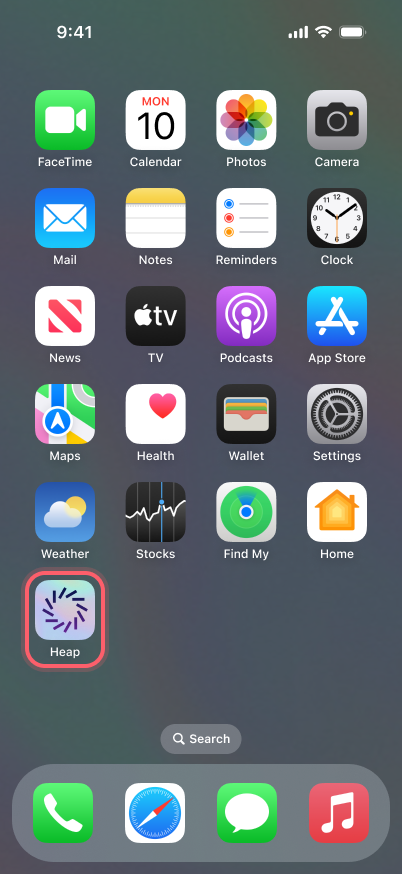
Locate the app on your phone and open it.
2. Tap the profile icon
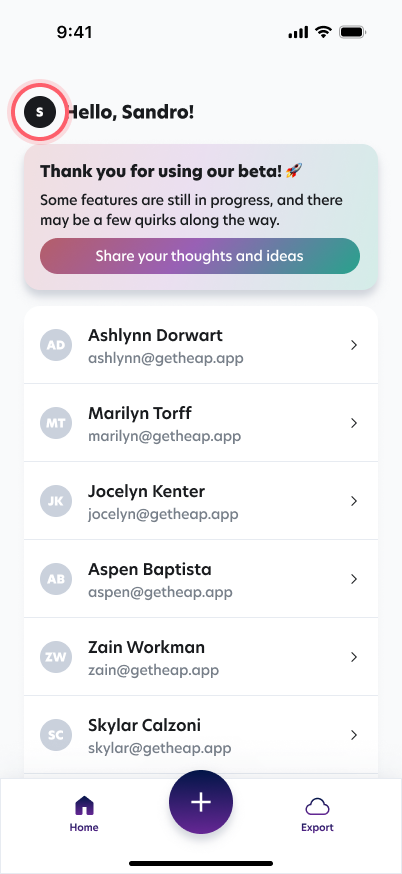
Navigate to home and tap your user icon on the top left of the page.
3. Tap Delete account
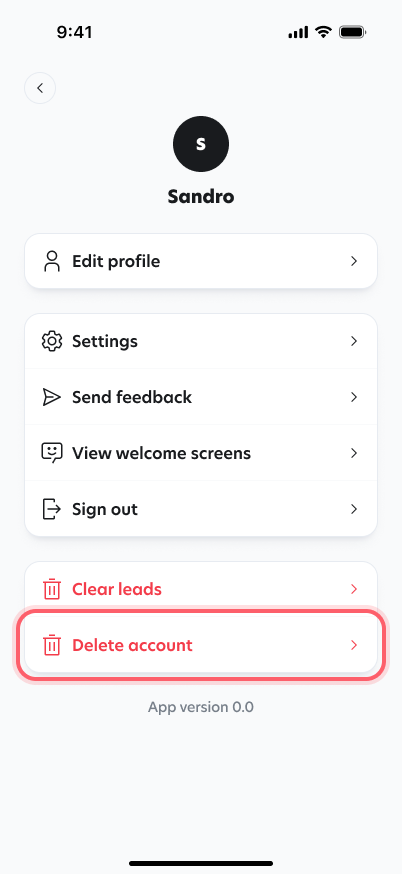
Tap the Delete account button. When prompted to confirm the deletion of your account, tap yes.
Your account and personal data are deleted immediately. Any data you’ve created within the app will also be deleted shortly after, usually within seconds.
What gets deleted
- Account and profile: your name, email address and profile details.
- Leads: every lead you captured, including contact details, notes, photos and the location where it was captured.
- App data: AI-generated lead summaries and follow-up drafts, and your push notification tokens.
What we keep
- Purchase records: subscription and purchase history is kept by Google Play, the Apple App Store and our subscription provider RevenueCat for as long as required for tax and accounting purposes. Deleting your account does not cancel an active subscription: cancel it from your Google Play or App Store account settings.
- Diagnostics and logs: error reports, usage analytics, server logs and AI request logs linked to your account are not deleted immediately. They are kept by our error-tracking, analytics, logging and AI-monitoring providers only for their standard retention period, and then deleted automatically. They are used only to diagnose problems and improve the app.
Deleting some of your data without deleting your account
You can delete specific data from Heap Lead Capture at any time while keeping your account:
- A lead: on the home screen, swipe left on the lead and tap Delete. The lead and everything captured with it (contact details, notes, photos and location) are deleted.
- A note or photo: open the lead, tap the action button in the top-right corner of the note or photo, then tap Delete.
- Anything else: email [email protected] from your account's email address, telling us which data you want deleted. Kyte Software will delete it within 30 days.
If you don't have access to the app
Please email us at [email protected] from your account's email address with a request to delete your Heap Lead Capture account and data. Kyte Software will process the request and delete your account and associated data within 30 days.
